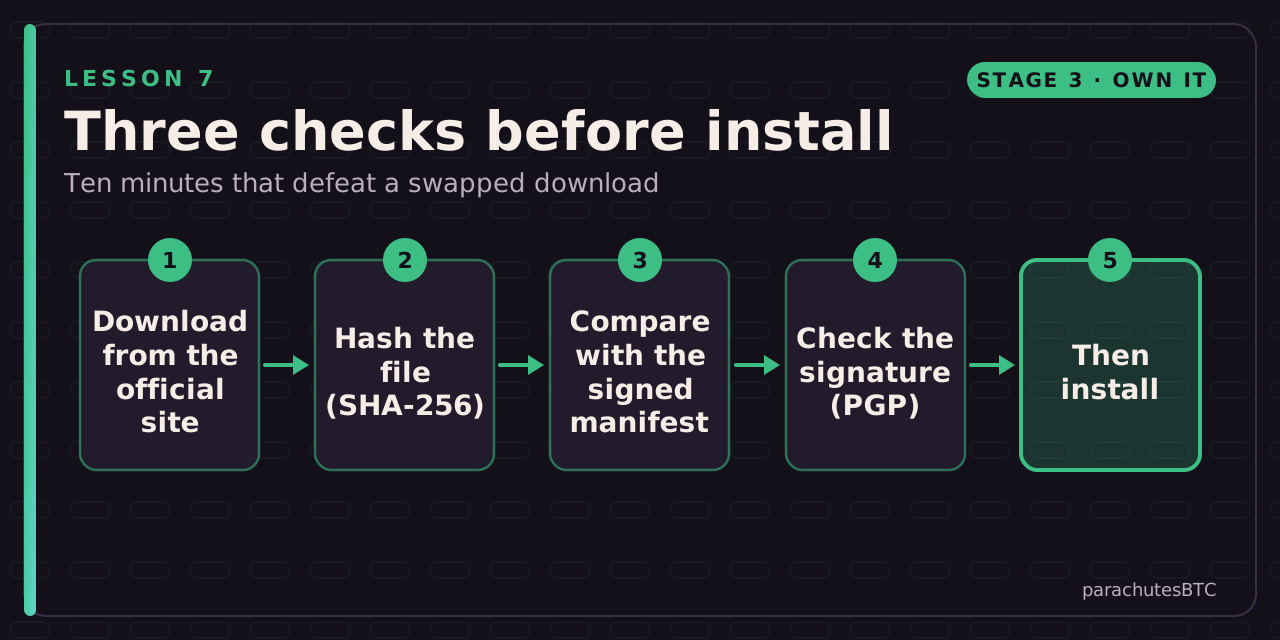
Compute the hash of a download, compare it with the developer's signed list, and check the signature with the developer's public key. Sparrow and Bitcoin Core as the worked examples.
Before you start: A computer and a wallet or node download you are about to install.
IN THIS LESSON · 7 OF 13
BY THE END YOU WILL BE ABLE TO ANSWER
What does a matching SHA-256 hash prove on its own?
Why check the PGP signature on the manifest as well as the hash?
What is the right response to a "BAD signature" result?
Run the hash command on any file on your computer. How many hexadecimal characters long is a SHA-256 hash?
Then prove it: a 3-question quiz · a challenge. The lesson marks itself complete at 100%.
After this lesson you can: prove that the wallet or node software on your computer is the file the developers released, not a copy someone swapped on the way.
Why
Malware that targets bitcoin users often arrives as a fake wallet download: a look-alike site, a poisoned search ad, a modified installer. The developer signs every release; checking that signature takes ten minutes and makes the whole attack class fail. Lesson 3 showed what malicious firmware can do; the same discipline applies to the software on your computer.
Two checks, in order
Hash proves the file matches the list; the signature proves whose list it is.
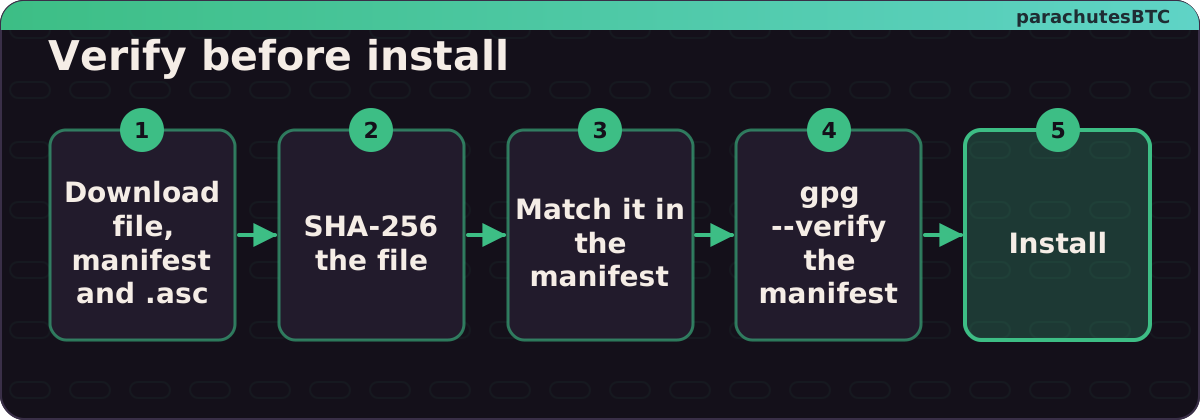
Hash. A SHA-256 hash is a fingerprint of the file. The developers publish a list of the fingerprints of every release file. If your file's fingerprint matches, you have their file byte for byte.
Signature. But the list itself could be swapped along with the file. So the developers sign the list with a PGP key, and publish the key's fingerprint in several places. Check the signature with their key, and the chain is closed.
Steps (Sparrow as the example)
Bitcoin Core follows the same pattern with SHA256SUMS and SHA256SUMS.asc, signed by several developers; the download page at bitcoincore.org explains it step by step. The Running a node course walks through it when you install Core.
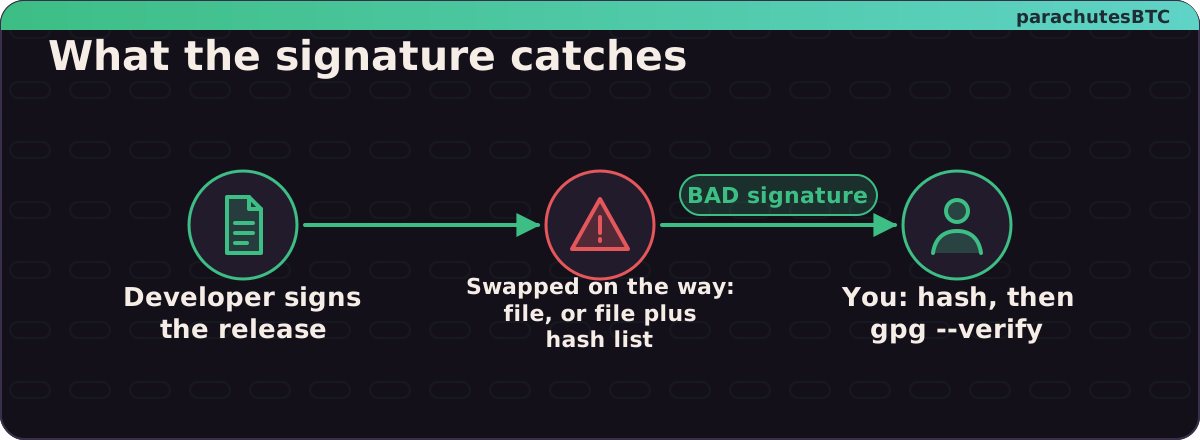
What verification catches: a swapped file, or a swapped file plus a swapped hash list. The signature cannot be forged.
How To Use Sparrow Bitcoin Wallet - In Depth Tutorial (see the Verifying Software chapter) · BTC SessionsWatch on YouTube ↗
MINI CHALLENGEHash it
Run the hash command on any file on your computer. How many hexadecimal characters long is a SHA-256 hash?
characters
256 bits, four bits per hex character.
64 characters. If your download's hash matches the signed manifest, the file is the developers' file.
01That your file is byte-for-byte identical to the one listed in the manifestA fingerprint match; the signature then proves whose fingerprint list it is.
02Because an attacker who swapped the file could swap the hash list too, but cannot forge the developer's signatureThe signature closes the loop back to a key you have checked independently.
03Do not install; re-download from the official site and verify againA bad signature means the file or the manifest is not what the developers released.