
Addresses
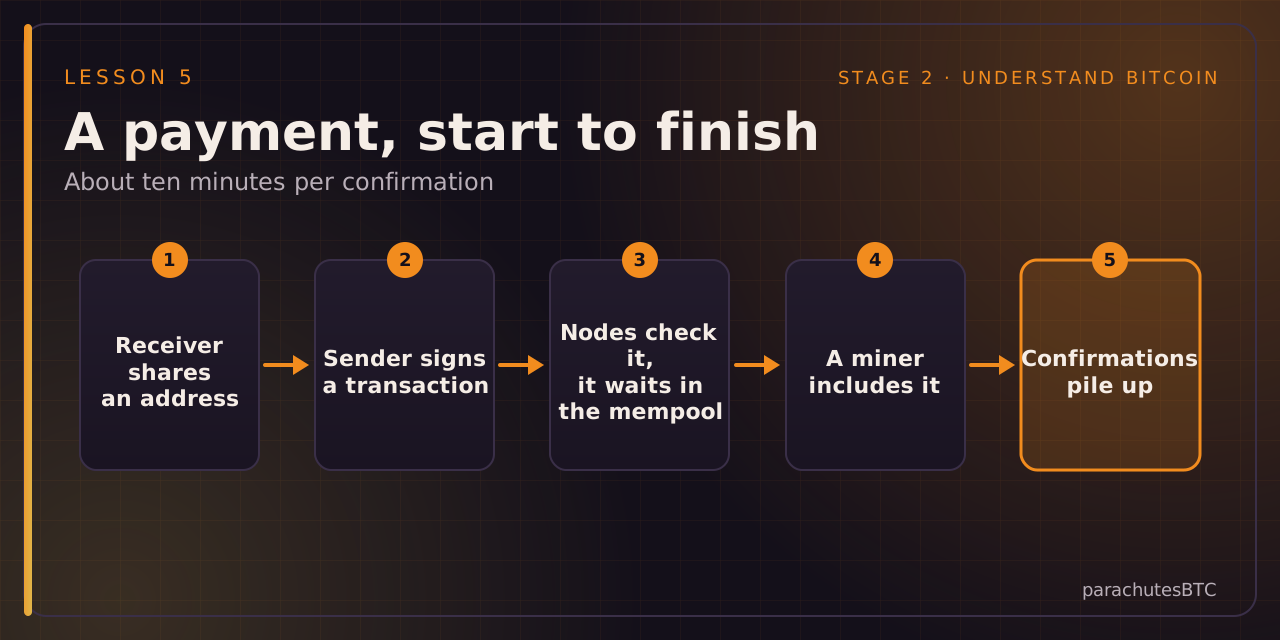
To receive bitcoin you give the sender an address: a string such as bc1q... (SegWit) or bc1p... (Taproot), usually shown as a QR code. Your wallet makes a new one for every payment, which is better for privacy. An address is derived from your keys; it can receive but it cannot spend.
Transactions
To pay, your wallet builds a transaction: it takes some of your coins as inputs, creates outputs (the amount to the recipient and change back to you) and signs it with your private key. The signature proves you authorised exactly this transaction and nothing else.
The mempool and the fee
The signed transaction is broadcast to nodes, which check it and hold it in their mempool until a miner includes it in a block. You attach a fee, priced per byte of transaction data, not per dollar sent. When blocks are busy, higher fees go first.
Confirmations
Once your transaction is in a block it has one confirmation. Each block built on top adds one more. One confirmation is fine for coffee; six is the common standard for large amounts. After that, reversal is practically impossible.
Irreversible
There is no chargeback. Send to the wrong address and it is gone. Check the first and last characters, send a small test first for large amounts, and never type an address by hand.