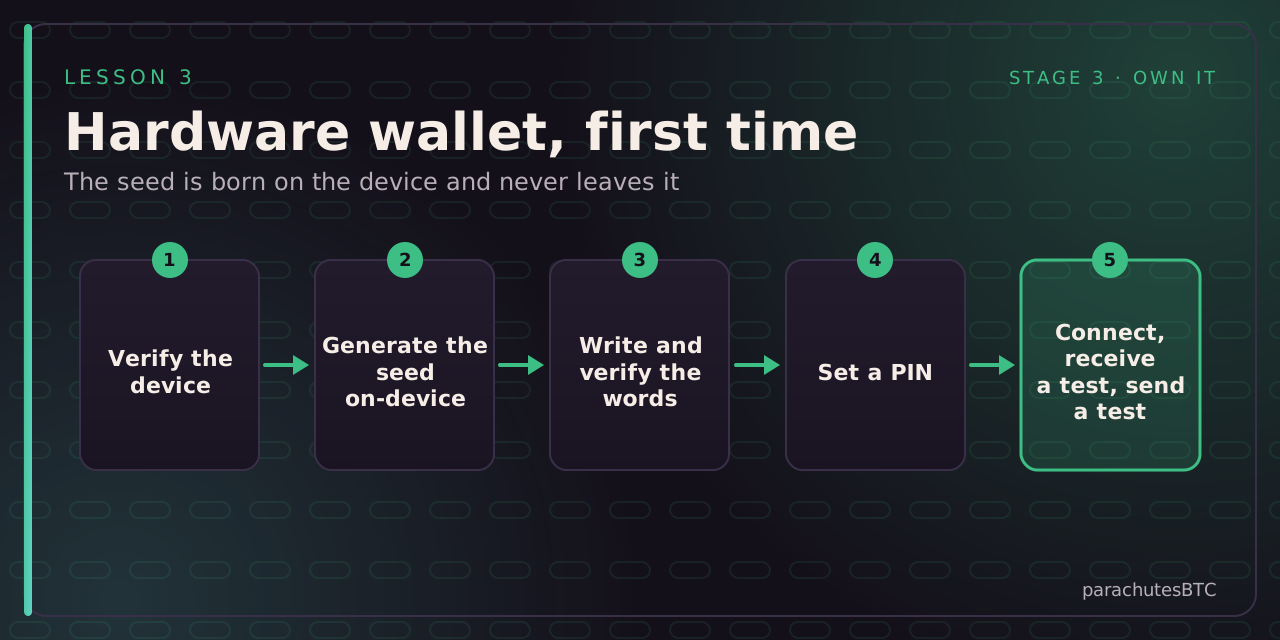
Before you start: A hardware wallet bought directly from its maker, a computer or phone with the matching companion app, pen and paper.
IN THIS LESSON · 3 OF 10
BY THE END YOU WILL BE ABLE TO ANSWER
Where should the seed be generated?
Why confirm addresses on the device screen?
Then prove it: a 2-question quiz. The lesson marks itself complete at 100%.
Before you start
Buy directly from the manufacturer, never second-hand or from a marketplace. Check the packaging and any tamper seal. If the device arrives with a pre-printed seed phrase, it is a scam: stop and contact the maker.
Steps
Check your work
Imagine the device is lost. Could you recover from the paper alone? If you are not sure, test it: reset the device and restore it from the words with a small balance on it.
CHECK YOURSELF
pick an answer for each question
Progress is saved in this browser only.
RECAP · THE MAIN POINTS
01On the hardware device itselfThe device's own randomness, never imported.
02Malware on the computer can alter what the app displays, but not the device screenTrust the small screen, not the big one.